The Ultimate Guide to Downloading Instagram Videos and Reels in 2025
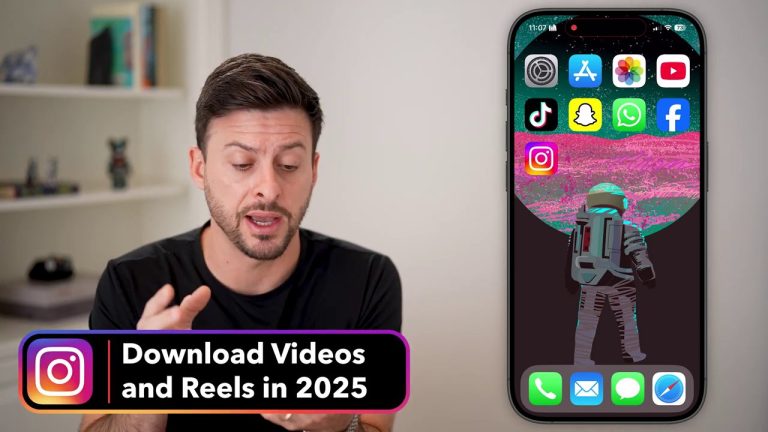
In today’s digital-first world, Instagram videos and Reels are a goldmine of content, from creative tutorials to viral entertainment. But what happens when you want to save that perfect video for inspiration, offline viewing, or content repurposing? The platform’s built-in download options are often limited or non-existent. This comprehensive guide will walk you through the entire process of downloading Instagram videos, from finding the right tools to successfully saving content to your device, all while navigating the common pitfalls and ensuring you do it correctly.

Understanding the Instagram Video Landscape
Before diving into the download process, it’s crucial to understand what you’re working with. Instagram hosts various video formats, including standard feed videos, IGTV (now integrated into longer videos), Stories, and the immensely popular Reels. Each type may have slightly different technical parameters and, sometimes, different levels of download protection.
The primary challenge users face is that Instagram does not provide a direct “Download Video” button for most content. This is by design, to protect creators’ intellectual property and keep engagement on the platform. Therefore, the process typically involves a few more steps than a simple click. You’ll often need to copy the video’s share link and use a third-party service or website to process and download the file. It’s a common workflow echoed in many online tutorials: find the video, copy its link, and then use a dedicated tool.
This method is similar to processes used for other platforms. For instance, if you’ve ever learned how to download TikTok videos without the watermark, you’ll find the core principle—using a link with a specialized website—is very much the same for Instagram.
Step-by-Step: How to Download Any Instagram Video
Let’s break down the universal method for downloading Instagram videos, whether they are Reels, feed posts, or IGTV videos. The following steps synthesize the clear instructions from our source material.
- Locate and Copy the Video Link: Open the Instagram app and navigate to the video you wish to download. Tap the three dots (
...) or the paper airplane “Send” icon on the post. From the menu that appears, select “Copy link” or “Copy Share URL”. This action saves the unique web address of that specific post to your device’s clipboard. - Navigate to a Download Website: Open your preferred mobile or desktop web browser. In the address bar, go to a reputable Instagram video downloader website. There are many available; simply search for “Instagram video downloader” to find one.
- Paste the Link and Initiate Download: On the downloader website, you will find a text box or field. Tap on it and paste the Instagram link you copied in Step 1. Then, press the button usually labeled “Download,” “Submit,” or “Generate.”
- Select Download Quality: The website will process the link and present you with available download options. These may include different video qualities (e.g., SD, HD) or separate options for video and audio. Select your preferred format.
- Save the Video File: After selecting the quality, a “Download” button will appear. Tap it. Your device will then process the download, and the video file will be saved to your “Downloads” folder (on a computer) or your phone’s gallery/downloads (on mobile). You may need to grant permission for the browser to download files.

A critical point from our source is to ensure you are using a functional website. Sometimes, a particular site might not have the download option available or might be experiencing issues. The advice is clear: if one website doesn’t work (“option te ka vidi nahi wibsai teke“), simply try another. Persistence is key, as different downloader sites may have varying success rates or server statuses.
Common Challenges and Pro-Tips for Success
Even with a clear guide, you might encounter hurdles. Here’s how to overcome the most common issues based on the experiences detailed in our source material.
- The Download Button is Missing or Doesn’t Work: This is the most frequent problem. If you paste the link and no download options appear, or the button does nothing, do not assume the video is undownloadable. The issue is almost certainly with the specific website you are using. The solution is straightforward: open a new tab, search for a different “Instagram downloader” site, and try your link there. The ecosystem of these tools is vast, and another site will likely process it successfully.
- Finding the Downloaded Video: On smartphones, the video might not automatically appear in your main photo gallery. You may need to use a file manager app to navigate to your device’s “Downloads” folder. On Android, this is often accessible through an app called “Files” or “My Files.” On iPhone, check the “Files” app.
- Video Quality Concerns: Not all downloader sites offer the highest available quality. If the downloaded video seems pixelated or low-resolution, try a different website. Some premium or more advanced downloaders provide options for higher resolution downloads.
- Ethical Downloading and Usage: It’s vital to remember that downloading content does not grant you ownership rights. Always credit the original creator if you repost or use the video elsewhere. Avoid using downloaded content for commercial purposes without explicit permission. The intent should be for personal offline viewing, inspiration, or fair use such as commentary or reaction.
This mindful approach to handling downloaded content is just as important as the technical steps. For those looking to download content at scale or for professional repurposing, understanding the broader context is key. You can explore more advanced techniques in our Ultimate Guide to Downloading TikTok Videos on PC for Content Repurposing, which discusses workflows that can be adapted for Instagram content as well.

Why Download Instagram Videos?
You might wonder why go through this process when you can just watch videos online. There are several legitimate and practical reasons:
- Offline Viewing: Save data or watch content during flights, commutes, or in areas with poor internet connectivity.
- Content Inspiration and Analysis: Creators often download videos to study editing techniques, trends, or the structure of successful content without needing to buffer repeatedly.
- Creating Compilations or Reaction Content: For creators who produce commentary or review videos, having a local copy is essential for smooth editing.
- Saving Memorable Moments: Users often want to permanently save a funny Reel, a meaningful tutorial, or a beautiful travel clip shared by a friend or favorite creator.
The process empowers you to build a personal library of digital content that inspires, educates, or entertains you, freeing it from the constraints of an internet connection and an algorithm’s feed.
Conclusion: Mastering Your Digital Content Library
Downloading Instagram videos is a simple yet powerful skill in the modern internet user’s toolkit. By following the core process of copying the video link, using a reliable third-party website, and selecting your download quality, you can save almost any public Instagram video to your device. The key to consistent success is flexibility—if one downloader site fails, another will almost certainly work.

Remember to use this capability responsibly, respecting creators’ rights and always attributing content where necessary. Whether for convenience, creativity, or curation, taking control of the media you enjoy is just a few clicks away. With this guide, you’re now equipped to seamlessly integrate Instagram’s vast video library into your own digital world.