The Ultimate Guide to Downloading Instagram Videos on Android in 2023
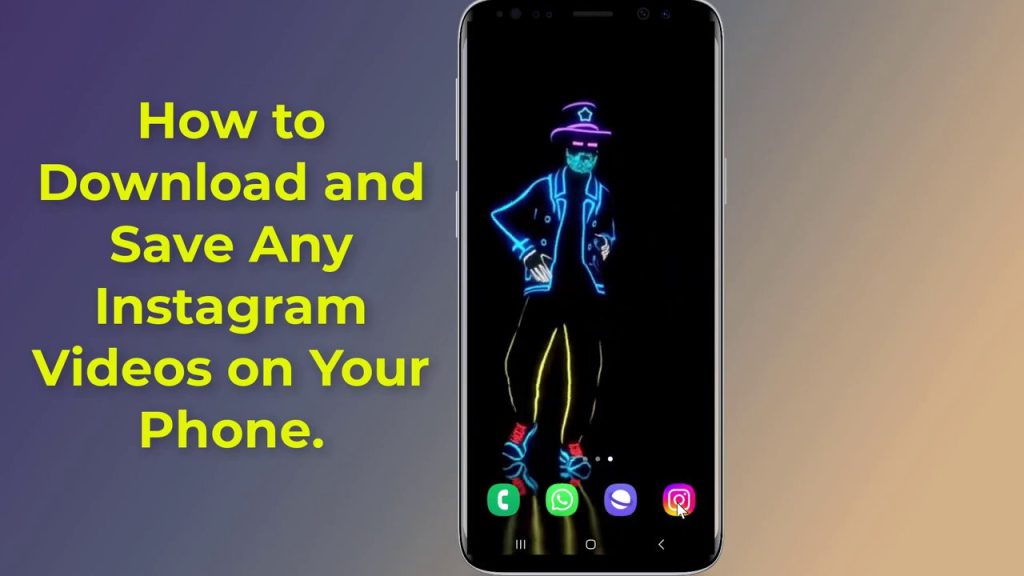
Have you ever scrolled through Instagram, found a perfect Reel or video, and wished you could save it directly to your phone? If you’ve noticed the built-in download option has vanished after recent updates, you’re not alone. This guide will walk you through the simplest, most effective method to download and save Instagram videos directly to your Android gallery without installing a single app.
The Vanishing Download Button: What Changed?
If you’re an Android user, you may have recently experienced a frustrating discovery: the once-handy download option within the Instagram app is no longer showing up. This change is a direct result of Instagram’s evolving platform policies and new updates aimed at controlling content distribution. The native feature that allowed for easy saving of Reels and videos has been restricted or removed for many users, leaving a gap for those who want to keep inspirational tutorials, memorable clips, or creative content for offline viewing.
The core issue isn’t about your phone’s settings or a glitch in your app; it’s a platform-wide shift. Instagram prioritizes keeping engagement and traffic within its own ecosystem. While this supports creators by tracking views and interactions on-platform, it limits straightforward options for users who want to archive content legally for personal use. This leaves Android users searching for reliable workarounds that respect copyright but fulfill the basic need to save a video.
Your Two Main Avenues for Downloading Content
Before diving into the step-by-step solution, it’s helpful to understand the landscape. Based on the video’s guidance, there are generally two primary paths you can take to download Instagram videos to your Android device:
-
Using a Dedicated Downloader App: The first method involves visiting your phone’s app store (like the Google Play Store) and searching for an “Instagram Video Downloader.” These are third-party applications designed specifically to fetch videos from Instagram links. You install them like any other app, and they provide an interface where you paste a copied Instagram link to initiate a download. While convenient, this method requires you to grant permissions and use storage space for another app.
-
Using an Online Website (No-App Method): The second, and often preferred, method is to use an online website or web service that performs the same function without any installation. This is the “no-app” approach highlighted in the video as the “best and easy way.” You simply use your phone’s web browser to visit a specific site, paste your copied Instagram link, and download the video directly. This method is quick, doesn’t clutter your phone with extra apps, and is usually free.
The video tutorial strongly advocates for the second method—the no-app approach via a web service—citing it as the most straightforward and hassle-free solution for the average user.
Step-by-Step: How to Download Any Instagram Video Without an App
This is the core of the guide, breaking down the effortless process demonstrated in the video. By following these steps, you can download Reels, standard videos, photos, and even Stories directly to your Android phone’s gallery.
-
Copy the Video Link: Open the Instagram app and navigate to the video or Reel you wish to download. Tap the three dots (
...) or the share arrow typically located in the bottom right corner or below the post. From the menu that appears, select “Copy link.” This action saves the unique URL of that specific post to your phone’s clipboard.
-
Open Your Phone Browser: Exit the Instagram app and open your preferred mobile web browser. This could be Chrome, Firefox, Samsung Internet, or any other browser installed on your Android device.
-
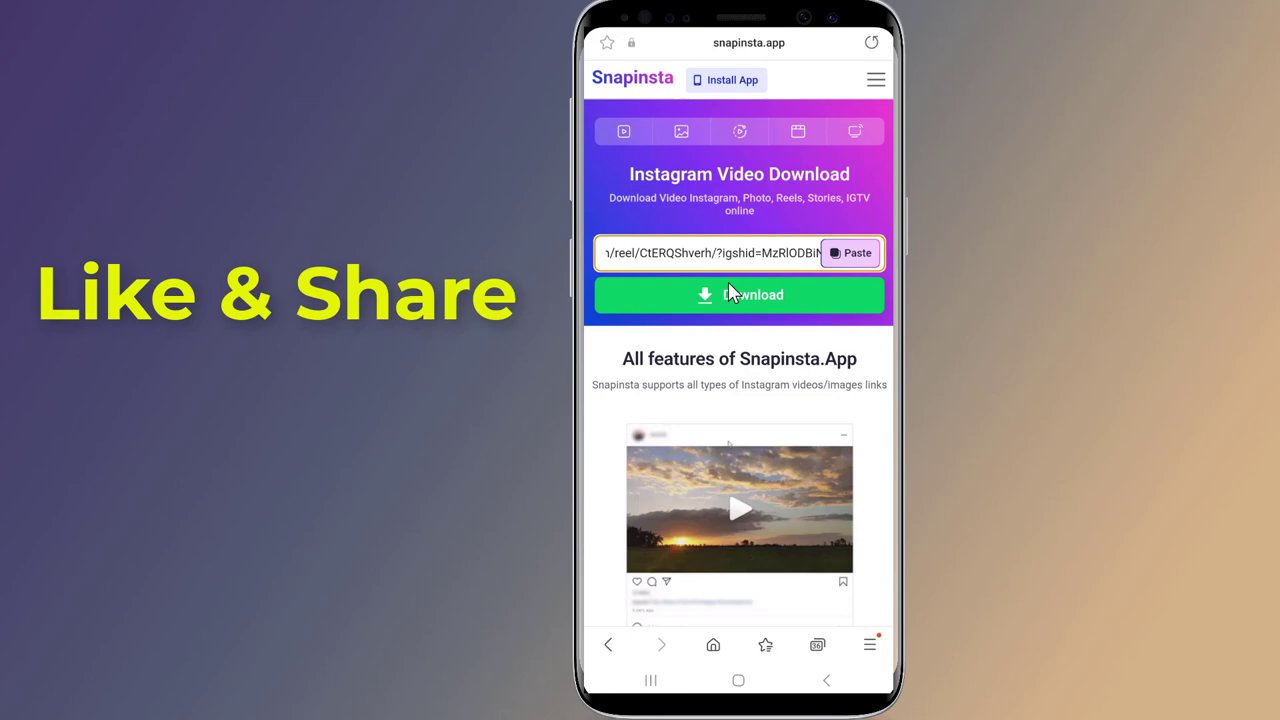
Navigate to the Downloader Website: In the browser’s address bar, search for the service Snap Insta. As outlined in the video, Snap Insta is an online Instagram Video Downloader tool. It is a website, not an app, designed to download videos, Reels, photos, and Stories.
-
Paste and Initiate Download: Once on the Snap Insta website, you will find a search or input box. Tap on it and paste the Instagram link you copied in Step 1. Then, tap the “Download” button.
-
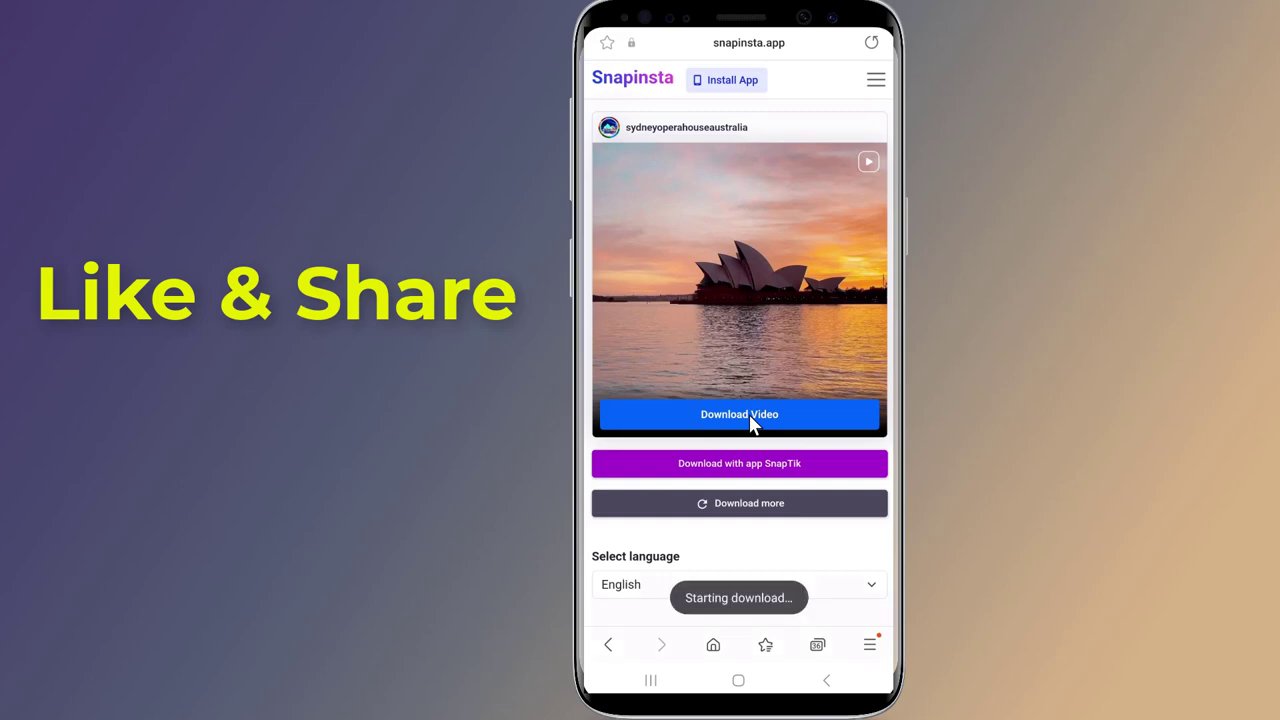
Save the Video: The website will process the link and typically present you with download options (like video quality). Select your preferred option, and the video file will begin downloading to your device. Your phone will usually save it to a default “Downloads” folder.
-
Find Your Video in Gallery: Once the download is complete, open your phone’s Gallery or Photos app. The newly downloaded Instagram video should appear there immediately, ready for you to view, edit, or share offline.
The entire process, from copying the link to having the video in your gallery, takes just a few moments. The key advantage is that it bypasses the need for the missing in-app download button entirely, using a simple web-based intermediary.
Why This Method is a Game-Changer for Android Users
The no-app, website-based method offers several compelling benefits that make it the recommended approach for most users:
- No Installation Required: You don’t need to download, install, or grant permissions to a new application. This saves storage space and avoids potential concerns about app permissions or background data usage.
- Universal Accessibility: As long as you have a web browser and an internet connection, you can use this method. It works across different Android phone models and versions without compatibility issues.
- Speed and Simplicity: The process is incredibly linear: copy, paste, download. There are no complex settings to configure or accounts to create.
- Immediate Results: The video is saved directly to your phone’s storage and is instantly accessible in your gallery app, just like any photo or video you take with your camera.
It’s a clean, efficient workaround that restores functionality Instagram removed, putting control back in the user’s hands for personal archiving.
Important Considerations and Best Practices
While the tool is powerful and easy to use, it’s crucial to employ it responsibly and be aware of a few key points:
- Respect Copyright and Privacy: Only download content for your personal, offline viewing. Do not repost downloaded videos as your own on other platforms. Always respect the intellectual property and privacy of the original content creators. Downloading private account content you shouldn’t have access to is a breach of trust and potentially against terms of service.
- Use Trusted Websites: The video recommends Snap Insta, but other similar reputable sites exist (like InstaDownloader, Ingramer, etc.). If using a different site, ensure it is well-known and has positive user feedback to avoid spammy or malicious pages.
- Be Cautious with Permissions: Since you are using a website, be wary of any site that asks for excessive permissions, demands you install a browser extension, or requires you to complete surveys before downloading. A legitimate downloader site like the one mentioned works simply and directly.
- Check Video Quality: Some downloader sites may offer different resolution options. If video quality is important to you, look for the HD or highest quality option before downloading.
Conclusion: Regain Control of Your Saved Content
The removal of Instagram’s native download feature for Android users was an inconvenience, but it’s not an insurmountable barrier. As this guide has detailed, the simplest solution is to use a dedicated online website like Snap Insta. By copying the video link from Instagram and pasting it into the downloader site on your mobile browser, you can seamlessly save any Reel, video, or photo directly to your phone’s gallery in moments—all without installing a single extra app.
This no-app method is fast, effective, and restores the functionality you need for saving tutorials, memorable moments, or creative inspiration for offline access. Remember to use this tool wisely, always crediting creators and only downloading content for personal use. Now you’re equipped to save your favorite Instagram finds with ease.