How to Download TikTok Videos Without the Watermark: A Simple Guide for iOS & Android

Ever found a hilarious or inspiring TikTok video you wanted to save, only to be disappointed by the prominent watermark that comes with the app’s built-in download feature? You’re not alone. This guide will walk you through a quick and easy method to download TikTok videos without that watermark, directly to your phone’s gallery. The process works seamlessly on both iOS and Android devices, and we’ll cover everything from the crucial first step to the final download.
Before we begin, it’s essential to address a critical point: always ensure you have permission or written consent from the copyright holder before downloading any video you do not own. This tutorial is intended for saving your own content or videos where you have explicit permission to do so.

Understanding the TikTok Watermark Dilemma
When you use TikTok’s native “Save Video” feature, the platform automatically embeds its logo and the original creator’s username onto the video file. This watermark is designed to protect intellectual property and ensure content attribution when shared outside the app. While this is great for creators, it can be less than ideal if you want a clean copy of your own video for a portfolio, a compilation, or other personal uses where the branding is distracting.
The built-in save function is straightforward. You simply tap the three dots (•••) in the bottom-right corner of any video and select “Save video.” However, as our tutorial demonstrates, checking your gallery afterward reveals the video now carries the TikTok watermark.
The Step-by-Step Guide to Watermark-Free Downloads
The solution doesn’t require any special apps or complex software. It utilizes a trusted third-party website through your mobile browser. Here’s the detailed, step-by-step process.
Step 1: Copy the TikTok Video Link
First, open the TikTok app and navigate to the video you wish to download. Instead of tapping the three dots, look for the arrow icon (Share) located just above them and tap it. This opens the share menu. Along the top row of options, you will see “Copy Link.” Tap this, and TikTok will confirm the link has been copied to your clipboard.
Step 2: Use a Dedicated Download Website
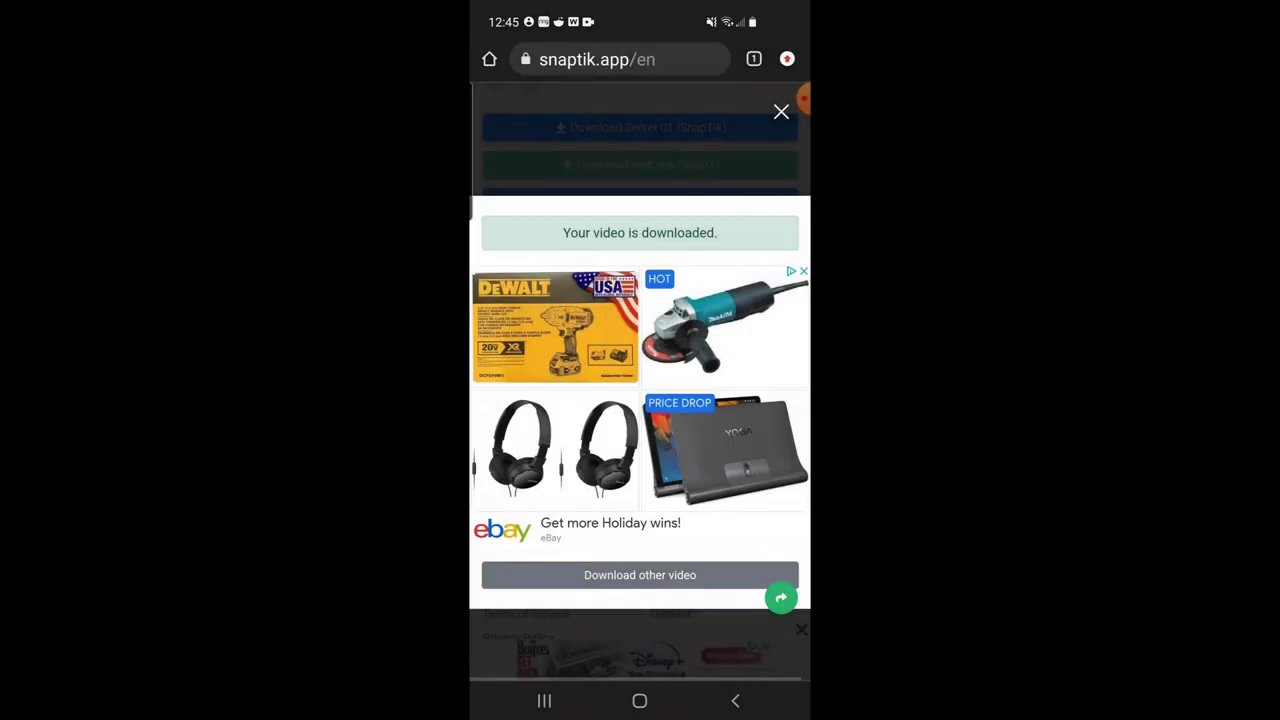
Next, open your mobile web browser. The tutorial uses Google Chrome, but any browser will work. In the address bar, type in snaptik.com. This is a free, web-based tool specifically designed for downloading TikTok videos without watermarks.
Once the website loads, you will see a field to paste a link. Paste the TikTok link you copied in the previous step into this field and tap “Download.”
Step 3: Download the Clean Video
The website will process the link and present you with download options. You may encounter an advertisement; simply scroll past it. You’ll then see several download server options. For the best results, select “Download server 1.” Tap the download button that appears.
The process might look slightly different on an iOS device due to how Safari handles downloads, but the core steps—paste link, download—remain the same. The video file will typically be saved to your device’s “Downloads” folder or a similar location.
Verifying Your Watermark-Free Video
To confirm the process worked, navigate to your phone’s gallery or file manager and find your Downloads section. Here, you should see the newly downloaded video file. When you play it, you’ll notice it is completely free of the TikTok logo and username overlay, giving you a clean, high-quality copy.
This method is remarkably efficient for personal use. For those interested in saving content from other platforms, we have detailed guides available, such as our tutorial on downloading Instagram videos without an app and the ultimate guide to saving Instagram Reels on your iPhone for free.
Key Takeaways and Final Thoughts
Downloading a TikTok video without the watermark is a simple three-step process: copy the share link, paste it into a service like Snaptik.com, and download the file from the provided server. The entire procedure takes less than a minute and works universally across devices.
Remember, the most important step is one of respect and legality: only download content you own or have explicit permission to save. This ensures creators’ rights are protected while you manage your own content. With this easy method, you can now archive your favorite TikToks or prepare your own creations for use beyond the app, all without any distracting branding.