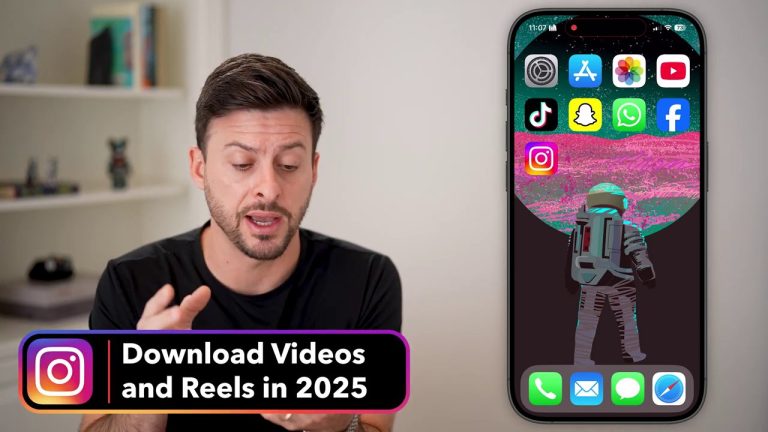
Cross-Platform Content Mastery: How to Share Videos Between TikTok and Instagram Reels Without the Watermark
You’ve created the perfect video. It’s got the right hook, the perfect edit, and you know it will perform. But do you post it to TikTok first, or Instagram Reels? And more importantly, how do you share it to the other platform without that glaring, platform-specific watermark that can tank your reach? This guide breaks down the exact strategies you need to move content seamlessly between TikTok and Instagram Reels, preserving quality and maximizing your engagement on both apps.
Why Watermarks Are the Enemy of Cross-Posting
Let’s be clear: posting your TikTok to Reels with the TikTok watermark (or vice-versa) is what the original source colorfully called “a fool’s morons move.” This isn’t just an aesthetic issue; it’s a strategic one. Platforms are in fierce competition. Instagram is actively trying to compete with and beat TikTok. They have no interest in promoting content that visibly originates from their biggest rival. It would be like one sports team’s social media account posting highlights of their arch-rival—it simply doesn’t make sense for their goals.
The algorithms are designed to recognize and often suppress content that promotes a competitor. That flashing logo is a dead giveaway. Your goal is to make your content look native to each platform, as if it was created organically within that app. Removing the watermark is the first and most critical step in this process.
The TikTok to Reels Pipeline: Removing the Flashing Logo
When you download a video directly from TikTok to your camera roll, it comes with their signature watermark—a flashing logo typically placed at both the top and bottom of the screen. This presents the first challenge.
The Cropping Method (And Its Limits)
The most straightforward method is to simply crop the video. You download it to your camera roll and use your phone’s built-in editing tools to cut off the edges. However, this method has a significant flaw. Since the TikTok watermark is often on both the top and bottom, cropping a standard 9:16 vertical video will cut off a substantial portion of your content, potentially ruining the composition.
The Recommended Solution: Use a Dedicated Downloader
The best method is to use a third-party TikTok downloader app that removes the watermark for you. One recommended app is Safe Tick. The process is simple:
1. Copy the link to the TikTok video from the app.
2. Paste the URL into the downloader app or its browser interface.
3. Download the clean, watermark-free video directly to your phone.
This allows you to save any TikTok—your own or others’—and repurpose it for Reels. However, a crucial caveat exists: audio sync issues. If you are downloading a lip-sync or audio-reliant video, the timing might be slightly off when you upload it to Instagram. The delay can be a matter of milliseconds, but it’s enough to make the video look unprofessional.
The Reels to TikTok Strategy: Dealing with the Bottom Logo
The process also works in reverse. Instagram Reels also apply a watermark, though it’s typically just a static “Reels” logo at the bottom of the screen. This makes it slightly easier to handle, but the principle remains: TikTok doesn’t want Instagram’s branding on its platform either.
Proactive Downloading: The Best Practice
The absolute best method for getting a Reel ready for TikTok happens before you even post it to Instagram. When your Reel is fully edited and ready to publish, click the “Download” button (or “Save” on some devices) before hitting the final share button. This saves a clean copy to your camera roll without the Instagram watermark. You now have the master file to use on TikTok.
Important Audio Consideration: If you’ve added a trending song from Instagram’s music library to your Reel, downloading the video will not include that licensed audio. The original audio (your voice, ambient sound) will be preserved, but the song will be stripped out. This can actually be beneficial, as it allows you to add the same trending sound organically within the TikTok app, which the platform prefers.
What If You Already Posted? The Repost App Solution
If you’ve already published your Reel and need a clean version, cropping is an option since the logo is only at the bottom. But you’ll lose some screen real estate. A more reliable method is to use a repost app designed for Instagram. One mentioned is simply called the repost app. The workflow is similar:
1. Copy the link to your published Instagram Reel.
2. Paste it into the repost app.
3. Download a version without the watermark to your camera roll.
Again, be mindful of potential audio sync issues when using these third-party downloaders for already-published content.
The Golden Rule: Record First, Edit Separately
Throughout the original advice, one strategy is emphasized as the safest and most effective: always record the original vertical video on your phone’s native camera app first.
This fundamental shift in your workflow solves nearly every problem:
– You Own the Master File: The high-quality video lives in your camera roll, free of any watermarks.
– No Sync Issues: You can import this clean file into both TikTok and Instagram Reels separately, editing and adding audio natively within each app. This ensures perfect audio synchronization.
– Maximizes Platform Features: By editing separately, you can leverage TikTok’s unique effects, stickers, and text tools, and then do the same with Instagram’s suite of features. This makes the content feel native to each platform.
– A Safety Net Against Lost Drafts: As noted, it’s risky to rely solely on in-app drafts. Phones can run out of storage, apps can crash, and hours of work can disappear. Having the original file on your camera roll is the ultimate backup. For a deeper dive into managing and downloading your Instagram content safely, our guide on Unlock Instagram: Your Complete Guide to Downloading Reels, Videos, and Audio offers comprehensive strategies.
Pro-Tips for Authentic Engagement
Even when uploading your clean camera roll file, take an extra step to “app-ify” your content before posting. Spend a minute inside the target app adding one native element:
– Add a trending sticker or GIF.
– Retype your caption using the app’s font styles.
– Re-add the audio track natively within the app (even if it’s the same song) to ensure it’s properly attributed.
This signals to the platform that you’re an active user of their editing tools, not just cross-posting bulk content. The original source mentioned, “I’ve been told this can help with engagement.”
Essential Tools and Quick Recap
To put this all into practice, here are the key tools and steps:
For TikTok to Reels:
1. Use a downloader like Safe Tick to remove the TikTok watermark.
2. Be cautious of audio sync for lip-sync videos.
3. Ideally, start with a video from your camera roll.
For Reels to TikTok:
1. Best: Download to your camera roll before posting the Reel.
2. If already posted: Use a repost app to remove the Instagram watermark.
3. Note that downloaded Reels lose added music; re-add it in TikTok.
The Ultimate Workflow:
1. Record all vertical video content using your phone’s native camera.
2. Save the file to your camera roll.
3. Edit Separately: Import the file into TikTok, add effects, audio, and text. Save draft.
4. Edit Separately: Import the same file into Instagram Reels, add Reels-specific effects, audio, and text.
5. Post natively to each platform.
For those looking to automate or build their own solutions for handling video content, exploring Build Your Own Free Video Downloader App: A Complete Guide to Creating a Watermark-Free Tool can provide valuable technical insights.
Conclusion: Take Control of Your Content
Navigating the cross-posting landscape between TikTok and Instagram Reels is about more than just convenience; it’s about strategic content presentation. The core takeaways are simple:
– Watermarks hurt reach. Platforms deprioritize content that advertises their competitors.
– Downloader apps like Safe Tick for TikTok and repost apps for Instagram are useful fixes for already-published content.
– Audio synchronization can be a hidden pitfall when using third-party downloaders.
– The professional standard is to record on your phone first, creating a watermark-free master file to edit separately in each app. This is the only way to guarantee quality, avoid sync issues, and fully utilize platform-specific features.
By adopting the “record first” mentality, you move from being at the mercy of platform restrictions to being in full control of your content. You protect your work, optimize it for each algorithm, and ultimately, build a stronger, more professional presence across all social channels. For specific steps on tackling the TikTok side of this equation, be sure to check out The Ultimate Guide to Downloading TikTok Videos Without the Watermark in 2025. Stop letting watermarks limit your content’s potential.