The Ultimate Guide to Downloading TikTok Videos on PC for Content Repurposing
In today’s digital landscape, maximizing your content’s reach is crucial. If you’re a creator looking to extend the life of your TikTok videos by sharing them across multiple platforms, you need a simple way to download them to your computer. This guide will walk you through a straightforward, no-software-required method to save your TikTok videos directly to your PC, perfect for repurposing them into YouTube Shorts, Instagram Reels, Facebook Reels, and more.

Why Download Your TikTok Videos to a PC?
The primary reason to download your TikTok content is for content repurposing. A single video created for TikTok has the potential to perform well on numerous other platforms. By downloading the high-quality file to your computer, you gain the flexibility to edit, reformat, and upload it elsewhere without being tied to your phone. This process amplifies your content’s value and saves you significant time, as you’re not recreating the same video from scratch for each social network. Whether you’re a social media manager, a budding influencer, or a business owner, this strategy is a cornerstone of efficient digital marketing. The method we’ll cover is particularly useful because it allows you to download videos without the TikTok watermark, giving your content a more native, professional look when posted on other sites.
Step-by-Step: Preparing Your PC and TikTok Account
Before you can download anything, you need to access your TikTok account on your computer. The process is seamless and uses your phone for quick authentication.
- Open TikTok on Your PC: Navigate to
TikTok.comusing your preferred web browser (Chrome, Firefox, Safari, etc.). - Initiate Login: On the TikTok website, click the “Log in” button. You will be presented with several login options.
- Choose QR Code Login: For the easiest and most secure method, select “Use QR code.” This will display a unique QR code on your PC screen.
- Scan with Your Phone: Open the TikTok app on your smartphone. Navigate to your profile, and look for a small person icon with a plus sign in the top-left corner. Tap it.
- Access the Scanner: On the next screen, you will find a scan icon, typically on the far right or top of the interface. Tap it to activate your phone’s camera.
- Authenticate: Point your phone’s camera at the QR code displayed on your PC screen. Your phone will prompt you to confirm the login. Tap “Confirm.”

Once confirmed, your TikTok account will be instantly logged in on your PC browser. This setup is a one-time process for each browser session and is the gateway to accessing all your content for download. This browser-based approach is similar to methods used for other platforms, like the techniques outlined in our guide for downloading Instagram videos to your PC without any software.
How to Download Any TikTok Video Without Watermark
With your account active on the big screen, you can now locate and download your videos. This method is ideal for downloading your own content for repurposing.
- Navigate to Your Profile: On the TikTok website, click on your profile picture or username to go to your profile page.
- Select a Video: Scroll through your video gallery and click on the specific TikTok you wish to download. This will open it in a larger view.
- Copy the Video Link: Look for the “Share” or “Copy link” button (often represented by an arrow or link icon). Click it to copy the unique URL of that video to your clipboard.
Now, the magic happens with a free online tool.
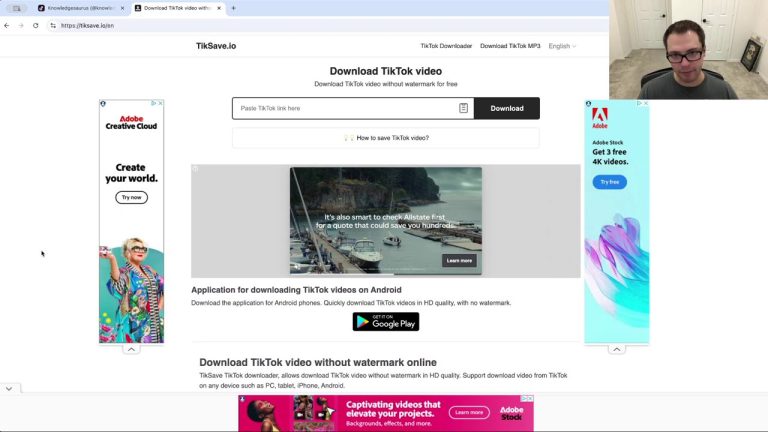
- Visit the Downloader Website: Open a new tab in your browser and go to
saveTT.cc. This is a dedicated, online TikTok video downloader. - Paste the Link: In the provided field on the saveTT.cc website, paste the TikTok video URL you just copied.
- Initiate the Search: Click the “Search” or similar button. The website will process the link and fetch the video.

- Choose Your Download Format: The site will present you with several download options:
- MP4 (No Watermark): This is the ideal choice for repurposing. It gives you the clean video file without the TikTok logo and username overlay.
- MP4 (With Watermark): Downloads the video exactly as it appears on TikTok, including the watermark.
- MP3: Downloads only the audio track (the background music or sound) from the video.
- Download the File: After selecting “MP4” for the watermark-free version, you can choose to download it directly to your computer, send it to Dropbox, or generate a QR code to download later to another device. Click “Download now.”
- Save to Your PC: Your browser’s standard “Save as” dialog will appear. Choose a destination folder on your computer (e.g., a “TikTok Repurpose” folder), rename the file if desired, and click “Save.”

And that’s it! The video is now saved on your hard drive, ready for use. This browser-based downloader method is a powerful tool, much like the web-based solutions we recommend for downloading Instagram Reels on iPhone without apps or watermarks.
Repurposing Your Downloaded TikTok Content
The real power of this process lies in what you do next. With your TikTok video saved as a clean MP4 file on your computer, the possibilities for cross-platform content creation are endless.
- YouTube Shorts: Upload the video directly to YouTube as a Short. The vertical format is perfect, and without the TikTok watermark, it looks native to the platform.
- Instagram Reels & Stories: Use the video for Instagram Reels. You can also trim segments for Instagram Stories to promote your full-length Reel or other content.
- Facebook Reels: Share your engaging content directly to Facebook to reach a different segment of your audience.
- Pinterest Idea Pins: Pinterest is a fantastic platform for discoverability. Turn your TikTok video into an Idea Pin to drive traffic and inspiration.
- Snapchat Spotlight: Repackage your content for Snapchat’s short-video platform to engage with a younger demographic.
By repurposing one piece of content across multiple channels, you dramatically increase your online presence without multiplying your workload. This holistic approach to content saving and reuse is a strategy we advocate across all platforms, as seen in our complete guide to saving Instagram content, which covers Stories, photos, and videos.
Conclusion: Unlock Your Content’s Full Potential
Downloading your TikTok videos to your PC is a simple yet game-changing skill for any content creator. The method outlined—using the official TikTok website for access and a trusted online tool like saveTT.cc for downloading—is efficient, free, and requires no software installation. The key benefit is the ability to obtain a watermark-free version of your video, which is essential for professional repurposing across YouTube, Instagram, Facebook, and Pinterest.
Remember, the goal is to work smarter, not harder. By creating one great piece of content and strategically distributing it, you can build a cohesive and far-reaching brand presence. Keep the saveTT.cc link bookmarked, organize your downloaded videos into dedicated folders on your PC, and start transforming your TikTok hits into multi-platform successes today.